Newsletter in spam in 2026? SPF, DKIM, DMARC deliverability checklist
Newsletter in spam? Check SPF, DKIM, DMARC, one-click unsubscribe, domain reputation and Gmail and Yahoo requirements with this deliverability checklist.
Newsletter landing in spam in 2026: why new requirements matter
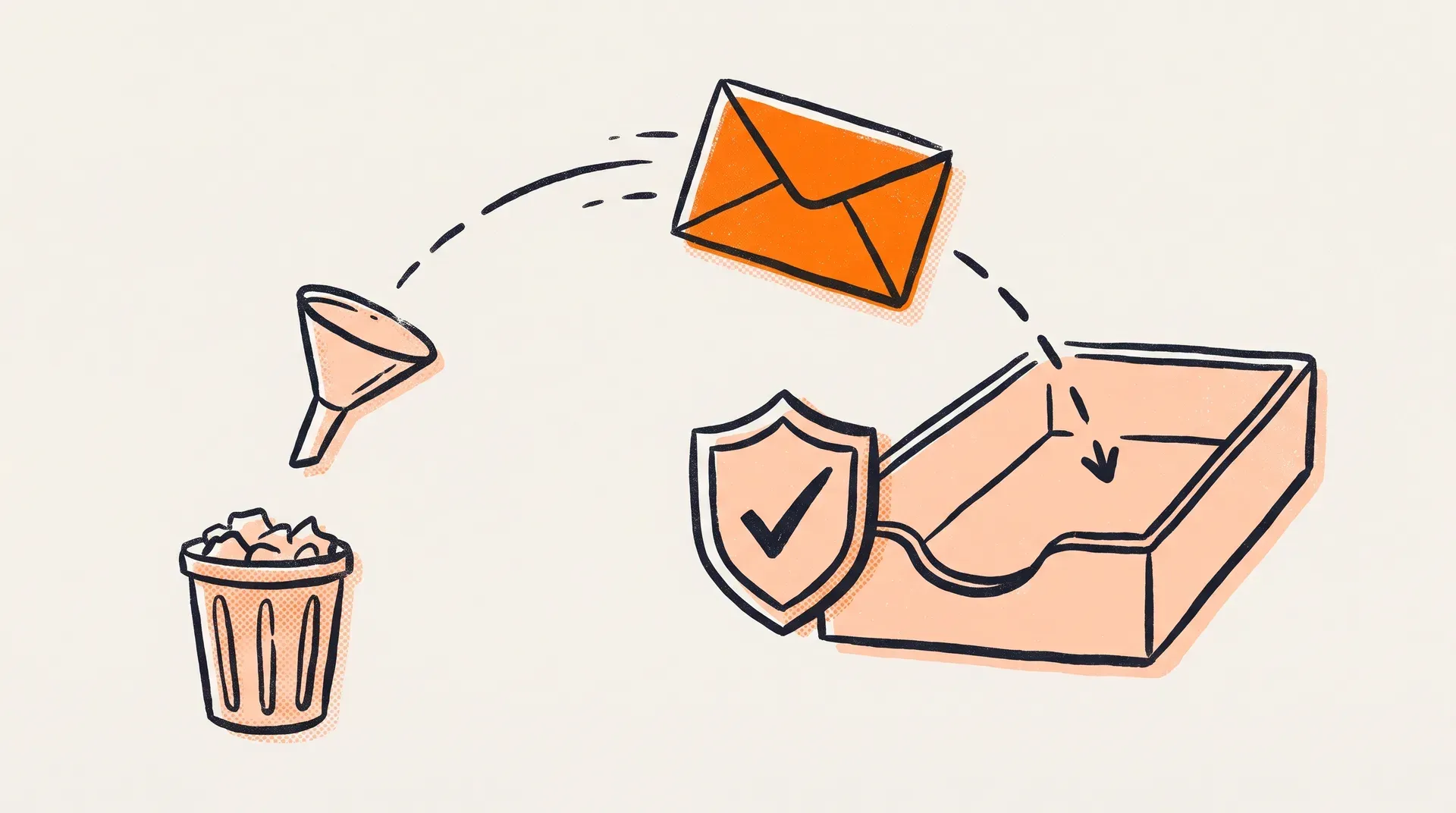
In 2026, newsletter deliverability is becoming a critical part of sales and marketing. Even excellent content cannot work if messages never reach the inbox.
Major email providers such as Gmail and Yahoo are tightening rules for bulk senders to reduce abuse and improve email communication quality.
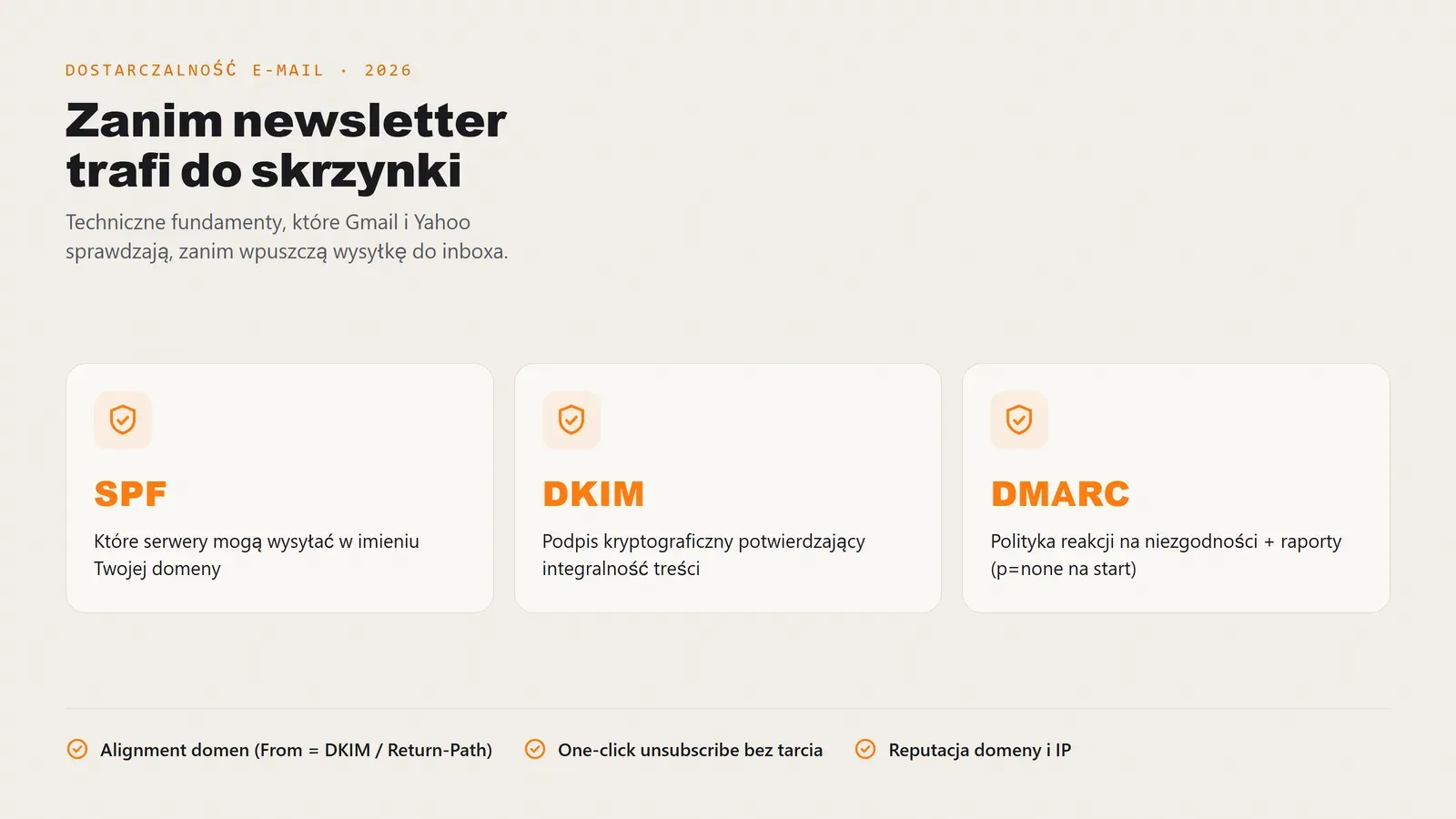
The foundation is correct domain authentication: SPF, DKIM and DMARC, together with alignment between the sender address and signing domain.
One-click unsubscribe requirements and domain and IP reputation management have become equally important, because filtering algorithms react to complaints, bounces and low engagement faster than ever.
This article walks through the key areas, from DNS settings to sending practices, to improve your chances of reaching Gmail and Yahoo inboxes.
What has changed in email deliverability in 2026 in practice?
- Stronger sender verification - servers check SPF, DKIM and DMARC more frequently and strictly, along with alignment between From, DKIM and Return-Path domains.
- Easy unsubscribe requirement - one-click unsubscribe must be available and frictionless, reducing complaints and improving quality signals.
- More weight on reputation - domain and IP history, sending rate, bounce share, spam complaints and recipient engagement matter, with opens and clicks as supporting signals.
- List quality over reach - sending to inactive contacts increases filtering risk, making segmentation and list hygiene essential.
Tip: when repairing deliverability, sort out SPF, DKIM and DMARC first, then optimise content and frequency. Without correct domain authentication, even a perfect newsletter can land in spam.
Why newsletters land in spam in 2026 and how to prevent it
You can have an excellent offer and polished content, but one common mistake along the way can reduce newsletter deliverability and send your messages to spam.
Below are the most frequent filtering causes and brief suggestions for reducing them in Gmail and Yahoo.
Reason 1. Missing domain authentication: SPF, DKIM, DMARC
Without correctly configured SPF, DKIM and DMARC records, recipients’ servers cannot reliably confirm the sender. This is one of the quickest ways to have a send flagged as suspicious.
How can you reduce the risk? Make sure SPF covers every sending source, DKIM signs for the sender’s domain, and DMARC starts with at least a p=none policy and reporting.
Reason 2. Missing domain alignment
Even with SPF and DKIM in place, you can miss the inbox if the From domain does not align with the DKIM signing domain or Return-Path. Filters examine a consistent sender identity, not just whether records exist.
How can you reduce the risk? Configure sending so that the From domain aligns with DKIM or SPF according to the DMARC policy.
Reason 3. High complaints and low engagement
Gmail and Yahoo assess sender quality through user signals: spam complaints, deleting without reading, no clicks and reactions to previous messages. Poor list quality often does more harm than a single campaign.
How can you reduce the risk? Segment the list, send more often to active recipients and use reactivation campaigns instead of keeping inactive contacts in the main list.
Reason 4. No easy one-click unsubscribe
Difficult unsubscribing increases the chance that a recipient chooses “This is spam”. In 2026, an easy one-click exit is more than UX: it affects reputation and deliverability.
How can you reduce the risk? Provide a visible unsubscribe link in the content and support one-click unsubscribe in line with email provider expectations.
Reason 5. Volume rises too fast, without warm-up
A sudden sending spike from a new domain or IP resembles a typical abuse pattern. Without gradually increasing volume, even a legitimate campaign can be limited by filters or sent to spam.
How can you reduce the risk? Increase volume gradually, starting with the most engaged recipients before extending to the rest of the list.
Reason 6. List problems: bounces, spam traps and purchased contacts
Mailing outdated addresses causes bounces, while purchased lists raise the risk of hitting spam traps. This quickly damages reputation and can trigger Gmail and Yahoo blocks.
How can you reduce the risk? Use double opt-in, clean the list regularly, remove hard bounces and establish list hygiene rules.
Reason 7. Inconsistent sender identity and weak domain trust
Changing sender addresses, different link domains, mixed subdomains and inconsistent sender signatures reduce credibility. Filters prefer predictable senders with a clear identity.
How can you reduce the risk? Keep a stable sender domain, a consistent sending subdomain and consistent branding in links and headers.
Conclusion
Deliverability in 2026 combines several foundations: domain authentication, alignment, reputation, list hygiene and easy unsubscribing. To reduce risk, start with the technical basics, then optimise content and sending frequency.
The next section walks through Gmail and Yahoo requirements and shows what needs to work for your messages to reach the inbox.
Gmail and Yahoo in 2026: requirements for newsletter senders
In 2026, Gmail and Yahoo scrutinise bulk senders much more closely. Content is not the only consideration: technical foundations (SPF, DKIM, DMARC), list quality and easy unsubscribing come first. If one key element fails, a newsletter can regularly land in spam.
Below is a comparison of requirements and areas to implement to maintain stable deliverability and improve inbox placement. Use it as a short checklist for marketing and IT.
Technical requirements and alignment
- SPF, DKIM, DMARC - correct configuration and error-free DNS are the absolute basics.
- Domain alignment - the From domain should align with DKIM or Return-Path, verified by DMARC.
- Stable volume - sending should grow gradually through warm-up, without sudden spikes.
- List hygiene - remove hard bounces, segment and limit sends to inactive addresses.
- Monitoring - DMARC reports and analysis of reputation signals, for example with postmaster tools.
Quality requirements and recipient experience
- One-click unsubscribe - leaving should be quick and require no extra steps.
- Visible unsubscribe link - no hiding in tiny text and no obstacles.
- Low complaint rate - each spam complaint hurts reputation, so UX matters.
- Consistent sender - a predictable From address and consistent branding.
- Relevant content - segmentation and suitable frequency reduce list fatigue and complaints.
The key lesson for senders in 2026
Technical quality and communication quality must work together. SPF, DKIM and DMARC build trust in the domain, but reputation signals often decide inbox placement: complaints, bounces, stable volume and easy unsubscribing.
For the practical next step, the following section explains SPF, DKIM and DMARC configuration in detail.
SPF, DKIM and DMARC in practice: how to secure your domain properly
The DMARC standard and SPF and DKIM mechanisms underpin modern email deliverability. Without correct domain authentication, Gmail and Yahoo servers have no basis for treating your message as trustworthy.
In 2026, merely having DNS records is not enough. Correct configuration, domain alignment and consistency across the entire sending infrastructure matter. Errors here are among the most common reasons newsletters land in spam.
Four pillars of technical domain protection
- SPF - specifies which servers may send messages on your domain’s behalf.
- DKIM - adds a cryptographic signature confirming the message’s content integrity.
- DMARC - combines SPF and DKIM and defines a policy for failures.
- Alignment - matches the From domain with the DKIM signing domain or Return-Path.
Element
What to check
The record should cover every sending source and stay within the DNS lookup limit of 10.
The key should have a suitable length and the signature must appear correctly in message headers.
Start with p=none and reporting, then move to p=quarantine or p=reject after analysing the data.
Why does correct configuration matter?
Without alignment and consistent configuration, even a legitimate campaign can look suspicious. Mail servers analyse both technical headers and domain history.
Proper domain protection increases sender trust, stabilises reputation and provides the foundation for further deliverability improvements.
One-click unsubscribe: implementing easy opt-out for 2026 requirements
In 2026, easy newsletter unsubscribing is more than a UX issue: it directly affects deliverability. Gmail and Yahoo clearly favour senders who allow recipients to end a subscription quickly and without difficulty.
Without a simple unsubscribe mechanism, users are more likely to click “This is spam”. Every such action reduces domain and IP reputation.
Correct one-click unsubscribe implementation is therefore becoming a foundation of healthy email infrastructure.
What should a proper unsubscribe process look like?
- Visible footer link - not hidden in tiny, hard-to-read text.
- No login required - users should not face additional barriers.
- One click - no extra forms or confirmations should be necessary.
- Fast status update - the system should immediately stop sending to that address.
- Optional preference changes - offer less frequent messages as an alternative to leaving entirely.
From experience: losing a subscriber is better than receiving a spam complaint. A complaint harms reputation far more than a single unsubscribe.
Domain and IP reputation: how it affects deliverability in 2026
In 2026, domain and IP reputation is one of the key factors deciding whether a newsletter reaches the inbox or spam folder. Providers such as Gmail and Yahoo analyse sending history, volume stability and recipient reactions.
Even correct SPF, DKIM and DMARC configuration is not enough if the domain has a history of complaints, high bounces or sends to disengaged users.
What actually affects sender reputation?
- Spam complaint rate - the more users mark messages as spam, the faster trust in the domain falls.
- Bounce rate - high hard-bounce rates signal poor list hygiene and increase filtering risk.
- Sending stability - sudden volume spikes without warm-up look suspicious.
- Recipient engagement - opens, clicks and replies can support the assessment of sender quality.
- Mailing list quality - sending to inactive contacts steadily weakens reputation.
Why does this matter?
Well-managed reputation can:
- make Gmail and Yahoo deliverability more stable,
- reduce the risk of suddenly landing in spam,
- make sales campaigns more predictable,
- allow sending volume to scale safely.
Rebuilding reputation takes consistent work: segmentation, list cleaning and gradual volume increases.
Next, we discuss common sender mistakes that damage reputation.
Common sender mistakes: why does a newsletter land in spam?
Even with correct SPF, DKIM and DMARC records, a newsletter can land in spam if the sending process repeats mistakes. The questions below recur during deliverability audits, focusing on what actually damages domain and IP reputation.
Question 1. Can one campaign ruin deliverability?
Yes, especially when sent to an unverified or long-unused list with a sudden volume increase. In practice, one failed mailing can raise complaints and bounces, reducing reputation and sending subsequent messages to spam more often. That is why warm-up and segmentation are essential in 2026.
Question 2. Why is sending to inactive contacts so harmful?
Inactive recipients do not open or click, and some mark messages as spam or have nonexistent inboxes. This increases bounces and weakens quality signals. Algorithms then see the sender as less trustworthy even when the content is sound. Regular list hygiene and focusing sends on engaged segments are the best approach.
Question 3. Does sending too often increase spam risk?
Yes. Excessive frequency without adapting to recipients causes list fatigue: more unsubscribes, fewer opens and some people reporting spam. In 2026, what matters is not how much you send, but whether you reach the right people at the right moment. Test frequency, offer preferences and segment the list.
Question 4. Which technical mistakes occur even with SPF, DKIM and DMARC?
The problem is usually inconsistency, not missing records. Typical errors include incomplete SPF with omitted sending sources, incorrect DKIM for some campaigns or absent alignment between From and the DKIM signing domain or Return-Path. Some messages then pass and others land in spam. It looks random but has a specific cause in the headers.
Question 5. What is the most common unsubscribe mistake?
Making it difficult. A hidden link, mandatory login, several steps or a broken one-click unsubscribe mechanism push recipients to the faster option: “This is spam”. In 2026, that is a direct route to lost reputation. For deliverability, more unsubscribes are preferable to more complaints.
What should you remember?
Deliverability is a system of connected parts. Technical foundations - SPF, DKIM, DMARC and alignment - must work alongside list hygiene, stable volume and easy unsubscribing. For a practical list of actions, go to the deliverability checklist and implement it point by point.
Deliverability checklist: what to check before your next newsletter
Before the next campaign, work through a specific deliverability checklist. In 2026, reaching the inbox is not chance: it results from correct configuration, consistent processes and reputation monitoring.
Below is an organised workflow, from DNS checks to monitoring reputation signals after sending. If you have nobody to manage it, the full cycle - list, content, send and report - is covered by our content marketing service.
Check stages and recommended actions
Stage
What to check and how
Check DNS records and From domain alignment. Use message header analysis tools and DMARC aggregate reports (RUA).
Remove hard bounces, exclude inactive recipients and verify new sign-ups through double opt-in.
Make sure it works correctly without extra steps. The unsubscribe link should be visible and easy to use.
Send tests to different inboxes, including Gmail and Yahoo. Check inbox placement and whether signatures validate.
Increase recipient numbers gradually. Avoid sudden spikes without prior warm-up.
Analyse complaints, bounces and engagement. Respond promptly to worrying signals.
Establish a consistent pre-campaign check. Deliverability is ongoing management, not a one-off DNS setting.
How do you use this checklist in practice?
Work through it before every larger email campaign or make it a regular part of your marketing process. The key is combining technical checks, list hygiene and reputation monitoring.
Summary: what to remember from this article
Inbox placement is not luck or copywriting. It follows a sequence: the domain must first be technically trustworthy, then the list must be clean, and only then does content come into play.
Key takeaways
- SPF, DKIM and DMARC are the minimum, but having records is not enough. Alignment decides: the From domain must match the DKIM signing domain or Return-Path.
- Start DMARC with
p=noneand reporting, notp=reject. First see what is sent on your domain’s behalf, then tighten the policy. - A spam complaint hurts reputation far more than an unsubscribe. One-click unsubscribe serves your interests, not just the recipient’s.
- Sending to inactive contacts does more damage than the extra reach is worth. Bounces and lack of response are signals the filter counts.
- A sudden volume increase from a new domain or IP looks like abuse. Warm-up is not optional.
What next?
- Start with a DMARC report: it shows how much mail sent on your behalf fails verification and where it comes from.
- Work through the checklist before your next campaign and record the outcome. Without a baseline, you cannot see improvement.
- Send a test to Gmail and Yahoo, then inspect message headers. A
passresult for SPF, DKIM and DMARC is the evidence that configuration works.
Deliverability is not a setting you enable once. It changes with each migration, new sending tool and major campaign, so pre-send checks should be part of the process, not a reaction to falling opens.
FAQ: common questions about newsletter deliverability
Five questions that come up most often in deliverability audits: filtering causes, DNS records, DMARC policy, unsubscribing and rebuilding reputation. The sections above cover them in greater depth.
Why does a newsletter land in spam?
Most often because domain authentication (SPF, DKIM, DMARC) is missing or incorrect, or domains are not aligned: the From address does not match the DKIM signing domain or Return-Path. Other causes include recipient complaints, mailing inactive contacts, hard bounces, purchased lists, sudden volume increases without warm-up and difficult unsubscribing.
What are SPF, DKIM and DMARC?
SPF defines which servers may send email on behalf of your domain. DKIM adds a cryptographic signature confirming content integrity. DMARC combines these mechanisms and defines a policy for failures. The fourth element is alignment: the From domain matches the DKIM signing domain or Return-Path. Without this set, Gmail and Yahoo servers cannot confirm the sender.
Which DMARC policy should you start with?
Start with p=none and reporting enabled. This collects information on what is sent on behalf of your domain and from where, without risking legitimate mail. After analysing reports, move to p=quarantine and then p=reject. Check SPF too: it should include every sending source and stay within the limit of 10 DNS lookups.
What is one-click unsubscribe and how do you implement it?
It lets people leave a newsletter with one click, without signing in, forms or additional confirmations. The link should be visible in the footer and subscription status should update immediately. You can offer less frequent messages instead of a full opt-out. For deliverability, losing a subscriber is better than receiving a spam complaint, because a complaint carries much more weight than an unsubscribe.
How do you rebuild domain reputation after a failed send?
Through consistency, not one corrective campaign. Remove hard bounces, exclude inactive recipients, resume sending to the most engaged segment first, then increase volume gradually. At the same time, monitor complaints, bounces and DMARC reports so you can react before poor reputation affects further campaigns.
The most common surprise in these conversations: the records exist, yet messages still land in spam. Almost always, alignment or a sending source omitted from SPF is the issue; both show up in DMARC reports. Have a question not answered here? Email biuro@digidraft.pl. We reply within 24 business hours.